
Audio Quality of Service
Par Christophe · 16 February 2026
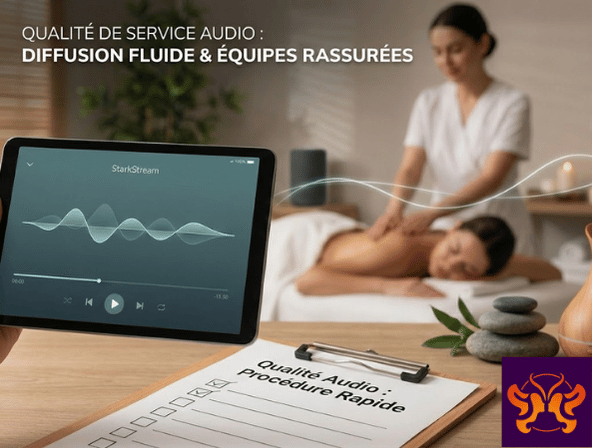
Audio quality: an invisible topic… until the first “buffering”
In a Spa or a Hotel, an audio dropout is immediately noticeable. It ruins the relaxation, and it puts the team in an uncomfortable position: “we don’t know what to do”.
The good news: most streaming problems have simple causes. Here is a pragmatic approach to ensure smooth streaming and reassure your teams.
1) The number 1 factor: network stability
It’s not always a question of bandwidth. It’s a question of consistency.
– Wi-Fi that is too far away can cause micro-dropouts.
– A saturated network can make playback unstable.
Best practice: test the streaming in the exact location where the device will be used, during peak hours.
2) Use a reliable browser
Not all browsers are created equal for audio playback, especially in the background on mobile.
– Chrome and Edge often offer a stable experience.
– Safari can behave in specific ways depending on the version.
Best practice: standardize on one browser for the streaming station.
3) Dedicated is better than “multi-use”
A streaming station that is used for everything (emails, WhatsApp, browsing, etc.) increases the risk: notifications, going to sleep, heavy tabs.
Best practice: a dedicated device, or at least a simple “streaming” session (one tab, nothing more).
4) Anticipating common situations
A few concrete examples:
– Playback cutting out: unstable network or heavy tabs.
– No sound: device volume, player paused, audio output.
– Blank page: browser cache, adblocker-type extension.
Best practice: a mini-checklist printed or shared with the team.
5) What StarkStream implements on the service side
StarkStream is a Web App designed for professional use:
– a simple player,
– themed relaxation radio stations,
– a clear journey (trial → subscription).
The product goal is to limit friction points: fewer actions, fewer dependencies, more predictability.
6) Reassuring the team: defining a “60-second” procedure
When an incident occurs, you need a short procedure.
1. Check volume and pause.
2. Reload the page.
3. Log back in.
4. Test another browser.
And if needed, contact support with: email, radio station, browser, device, time, screenshot.
Conclusion
Audio quality of service doesn’t come from a “magic solution”. It comes from a simple, standardized setup and a clear procedure.
StarkStream is designed to fit into this logic: stable, professional streaming, and an experience that remains smooth for your clients as well as your teams.