
Install StarkStream in 10 minutes
Par Christophe · 12 March 2026
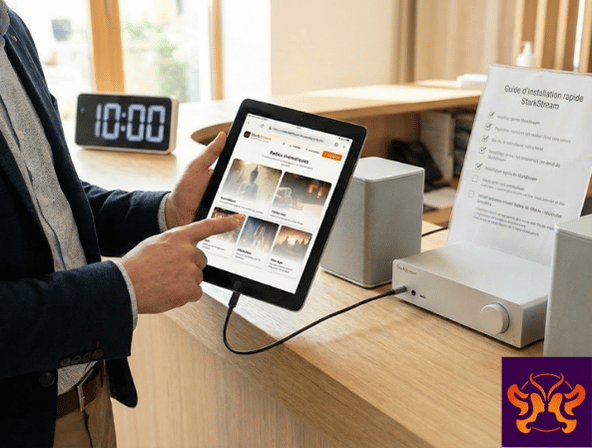
Install StarkStream in 10 minutes: a field guide for Facility Managers
Objective: quick setup, without a technical project
In a facility, you don’t want to “deploy a solution.” You want it to work, quickly, and for the team to be able to use it without depending on one person.
StarkStream is a Web App: this means access is via a browser, using an email and password. Here is a field guide to installing StarkStream properly, in less than 10 minutes.
1) Choose the right playback device
First of all, identify where the music will be played.
– a reception computer,
– a dedicated tablet,
– or a stable device connected to the audio system.
The best choice is often a “dedicated” device with few open applications, to avoid interruptions.
2) Check the network (30 seconds)
The majority of playback issues are network-related.
– If you are on Wi-Fi, move the device closer to the router or antenna.
– Avoid sharing a saturated network (video conferences, 4K videos, etc.).
A decent connection is enough, but stability is more important than theoretical bandwidth.
3) Open StarkStream in a recommended browser
For a stable experience, choose a recent Chromium browser.
– Chrome (desktop / Android)
– Edge (desktop)
On Safari (iOS / macOS), certain behaviors may differ: it’s not a dealbreaker, but adjustments are sometimes needed.
4) Log in (email + password)
The process is intentionally simple. Once logged in, you access the homepage with the themed radio stations.
Operational tip: keep login credentials in a secure place accessible to managers, to avoid dependency on a single person.
5) Choose a radio station suited to the space
Start with 1 “base” station for a few days.
– Meditation or Californian for a cabin or a very quiet space.
– New Age for a reception desk or a transition area.
The goal is to achieve a consistent atmosphere, not to change it every 10 minutes.
6) Start playback and adjust the volume
The player offers essential controls.
– play / pause
– volume
– change station
Adjust the volume so that it supports the atmosphere without drawing attention. In care facilities, “too present” quickly becomes intrusive.
7) In case of trouble: the 3 tests that solve 80% of problems
– reload the page,
– log out / log back in,
– test another browser.
8) Support: provide the right info straight away
To resolve issues quickly, we need:
– the login email,
– the radio station in question,
– the browser and device,
– the approximate time,
– a screenshot if possible.
Conclusion
Installing StarkStream is mostly about choosing a stable device, a recommended browser, and a suitable radio station. Once in place, the atmosphere becomes a reliable element of daily life.
And if you are unsure about the right setup, the 7-day free trial is designed for testing in real conditions, pressure-free.